Why Are My Photos Blurry? (4 Simple Things to Try First)


One of the most common questions I hear when I'm teaching beginners is this:
“Why are my photos blurry?”
You take the picture, it looked fine in the moment… and then when you look at the image properly, something just isn't quite sharp.
The good news is that blurry photos usually happen for a few very simple reasons. If this happens to you, don't worry. It’s extremely common when you're learning photography.
If you're a beginner and not yet familiar with changing camera settings, here are a few easy things you can try straight away.
1. Try taking the photo in brighter light
This is the simplest fix, and it surprises people how often it works.
When there isn't much light available, your camera has to work harder to capture the image. One way it does this is by keeping the shutter open for longer to let more light in.
The problem is that if the shutter stays open longer, even tiny movements can cause blur.
So, if you’re shooting:
indoors
on a dull day
late in the evening
your camera may simply be struggling with the light.
An easy thing to try is taking the same photo somewhere brighter, or earlier in the day when there is more natural light available.
More light allows the camera to take the picture more quickly, which often results in a much sharper photo.
2. Make sure the camera is focusing where you want

Sometimes the photo isn't actually blurry. The camera has simply focused on the wrong thing.
Modern cameras try to decide what the subject is, but they don’t always guess correctly. They might focus on the background instead of the person or object you intended.
When you look through your viewfinder, or at the LCD screen on the back of your camera, you will often see small squares or dots. These indicate where the camera is going to focus.
If one of those squares is sitting on the background rather than your subject, the camera may focus there instead.
A good habit is to:
place your subject in the centre of the frame
make sure one of the focus squares or dots is sitting on your subject
half-press the shutter button so the camera focuses
then take the picture
This helps the camera know exactly what you want to be sharp in the image.
Once you start learning how to control your camera’s focus points, this becomes much easier.
You'll usually find more information about this in your camera manual. Look for sections called focus points or autofocus settings.
3. Keep the camera as steady as possible
Even small movements can affect sharpness, particularly in lower light.
A few simple things can help:
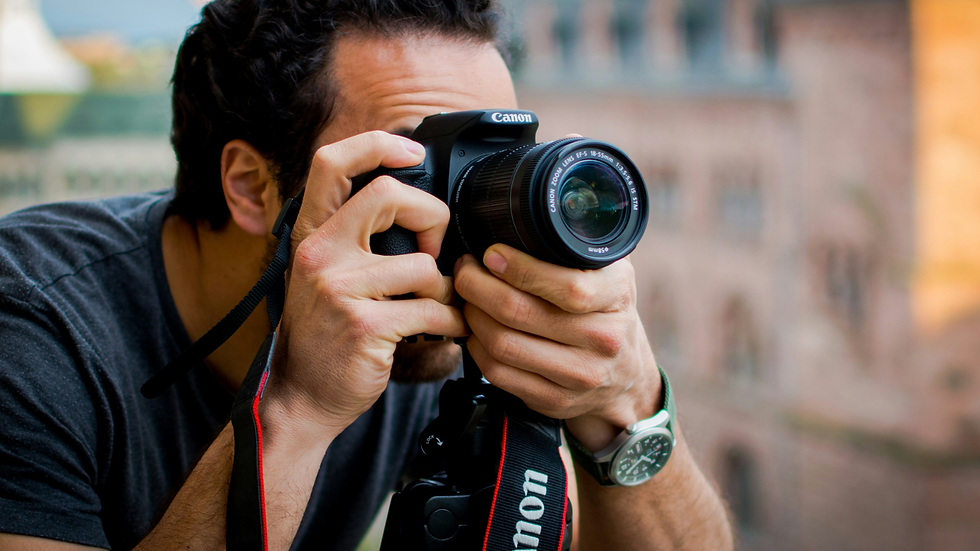
use the viewfinder rather than the LCD screen so you can hold the camera more steadily
hold the camera with both hands and make sure you are in a stable position
keep your elbows tucked in slightly
press the shutter gently rather than stabbing at it
4. Check that your camera isn’t set to manual focus
Sometimes the reason a photo looks blurry is surprisingly simple.
Most cameras and lenses have a small switch that changes between AF (autofocus) and MF (manual focus).
If this switch has accidentally been moved to MF, the camera will no longer focus automatically when you press the shutter button.
This can easily happen if the switch gets knocked while you’re handling the camera or taking it in and out of a bag. Don’t worry, it happens to all of us at some point!
If your camera suddenly seems unable to focus, it’s worth checking that the switch is still set to AF.

The bigger picture
These tips can definitely help improve your results, but they are really just the first step.
Behind the scenes, your camera is balancing three settings every time you take a photo:
shutter speed
aperture
ISO
These three settings control how light enters the camera, and they all work together.
Once you understand how they interact, things like blurry photos become much easier to fix because you can tell the camera exactly what you want it to do.

If you'd like to understand your camera properly
If your camera sometimes feels confusing or unpredictable, you're definitely not alone. Most beginners feel exactly the same way at first.
Inside my Get Camera Confident course, I guide beginners through these camera settings step by step in a clear and friendly way, so you can start taking control of your photos rather than guessing what the camera will do.

Sarah Lester is a professional photographer with over 20 years of experience behind the camera. She specialises in helping beginners feel confident using their cameras in a clear, simple and jargon-free way.
Her Get Camera Confident course has already helped more than 1,000 students start taking photos they’re proud of.


Comments